Recently, I finished up and released my app EveryBible on the OpenStore[1]. I have a specific way of building apps, and when I'm done, I have a sort of "mini review" process I run on myself to see if the outcome of building the app lines up with what I set out to do. While doing that review with my app EveryBible, I realized I tend to do it the same-ish way every time, so I decided to document that process for my future self, or for others that might find it interesting.
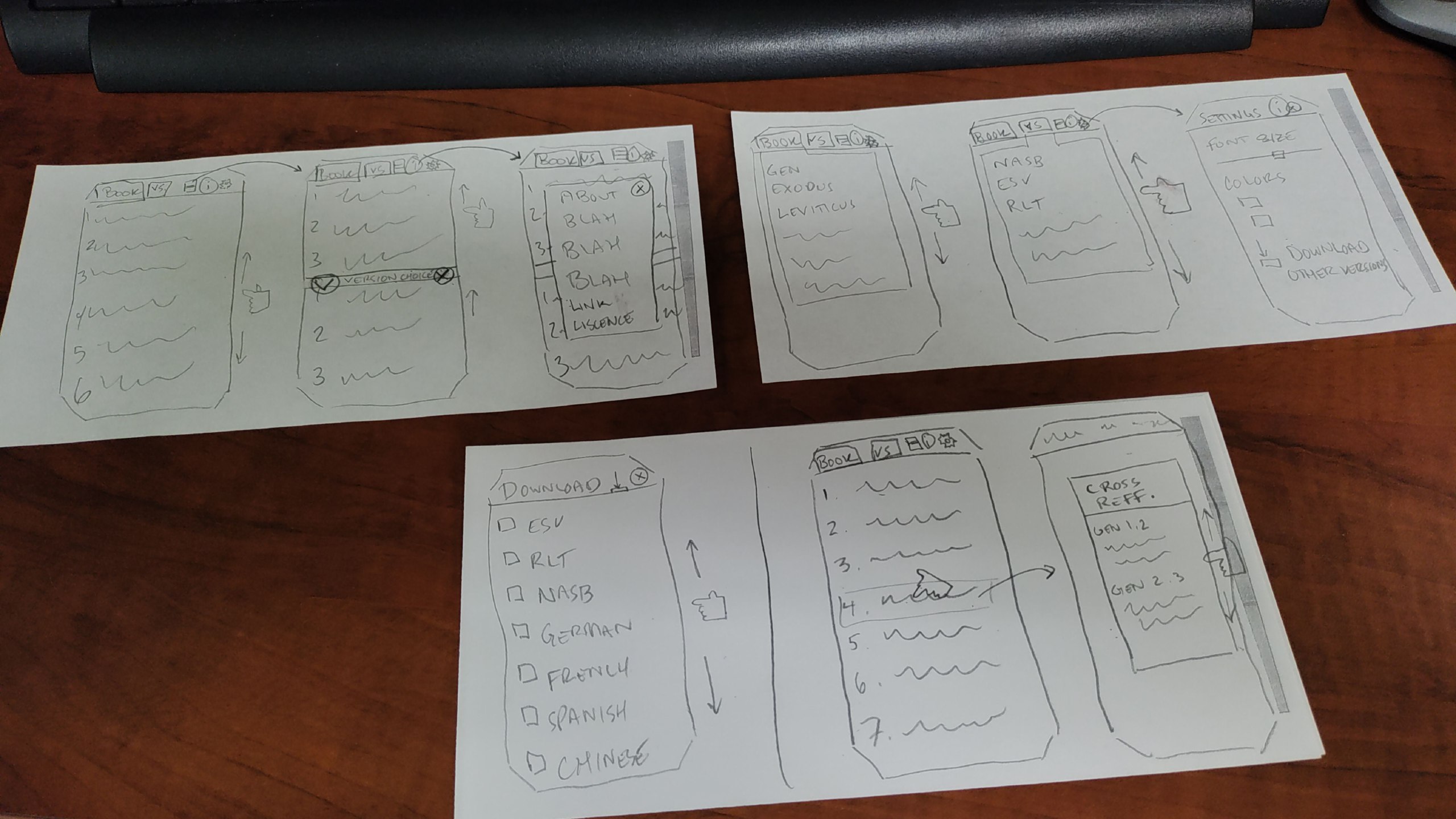
If you can see the photo above, you'll note that it looks a lot like the finished product of EveryBible[2]. That's because it is the original storyboard I made for the app when I set out to build it. While the date is not shown here, the photo was taken in January of 2026, which is about seven months before I released EveryBible on the OpenStore.
I realize that my methods may not be the best, nor will they work for everyone, but this seems to be the process that works best for me: storyboarding. Maybe because I'm old school, or maybe because I'm behind the times, I like to draw, by hand, what I want my program to look like. Or, if it is not a program with a graphical interface, then to storyboard the key elements of it's function. I find this helpful because, if you don't know where you are gong, you'll never know when you get there.
I also find this extremely helpful for the GUI (graphical user interface), when you know what you want it to look like, and how you want it to act. You'll note in my drawing, I drew a little hand with a pointer finger swiping, scrolling, moving, etc., and then drew arrows of where that would go to next. Even the font size slider bar is present in this drawing, just as it is in the finished product.
Granted, there were a few changes along the way, but the overall idea is all there in the drawing, before I wrote a single line of code for the app. You might see that in the settings, I originally intended for the user to be able to pick the colors of the text and background, which did not make it into the final product because I decided instead to follow the system theme, so if the user switches to dark mode, the app will switch, and to light mode, the app again will switch. This change made the app more congruent with the rest of Ubuntu Touch, which was something I realized was important later in the design process.
So for me, my process looks like this:
- Storyboard the app.
- Research which tech to base the app on.
- Start coding.
- Revisit the storyboard and revise the code as needed.
- Review the finished product to see if it met my goals/expectations from the storyboard.
I don't know if this is helpful to anyone else, but it is really helpful to me, because I can keep looking back at the storyboard as I design each element and I know what I want it to look like and if I've acheived my main goals or not.
Linux - keep it simple.
[1] https://next.open-store.io/app/everybible.alaskalinuxuser/ [2]https://gitlab.com/alaskalinuxuser/everybible